

Mobile casino browsing should make it easier to compare roulette tables, review account information and move between categories without relying on a desktop computer. The reality can be less convenient when pages are crowded, connection quality changes or a supposed app is actually only a browser shortcut. The lussurio casino online service is described as an instant-play website for modern smartphones and tablets, so Canadian users should approach it as a mobile browsing experience first and assess how well it fits their device, habits and expectations.
Start by treating the browser as the main mobile option
The available material describes browser-based access rather than confirming a dedicated downloadable application. That distinction matters. A website opened in Safari, Chrome or another current mobile browser can still provide access to casino categories, live content, promotions, account areas and cashier functions, but it does not necessarily offer the same behaviour as a native iOS or Android app. App-store listings, push notifications and device-specific security features should not be assumed.
For someone comparing Canadian online roulette sites, browser access can be practical because it avoids installing software from an unverified source. Open the service through a current browser, check that the address is correct and avoid copies promoted through unfamiliar advertisements or messages. If the page behaves unusually, requests unexpected permissions or repeatedly redirects elsewhere, close it rather than treating the problem as a normal part of mobile play.
A home-screen shortcut may make a browser site feel like an app, but the shortcut does not change the underlying technology. It may simply reopen a web page and depend on the same browser session, cookies and connection. Users should also remember that browser updates, private-browsing settings and blocked cookies can affect login recovery or page loading. The published material does not establish the exact recovery screens or authentication options, so account-access problems may require the listed support channels.
Can a small screen support useful roulette browsing?
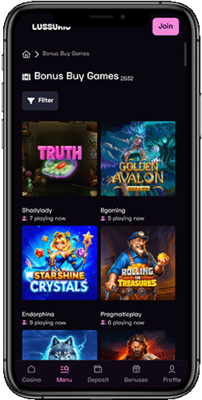
Roulette browsing is not only about whether a table loads. A usable mobile layout should let readers identify the game category, distinguish live-dealer tables from digital versions and see important information without excessive zooming. The source material describes category navigation and provider browsing, along with live roulette supplied by named studios such as Evolution and Ezugi. Those descriptions indicate available browsing areas, not a guarantee that every table will appear identical on every phone.
Before choosing a table, rotate the device if necessary and check whether buttons, menus and game information remain visible. A crowded interface can make it easy to select the wrong option or miss a condition. On a smaller screen, it is sensible to pause between pages rather than tapping repeatedly while content is still loading. This is especially useful on mobile data, where a delayed response can make a single tap appear unsuccessful.
Readers should also separate catalogue size from convenience. A large selection may sound attractive, but hundreds of roulette listings are not automatically easier to use than a smaller, clearly organised menu. Filter by the relevant category, review the table description and note whether the experience is live dealer or automated before proceeding. Short browsing sessions are useful for judging navigation and readability, but they cannot establish game fairness, expected returns or future performance.
Protect the phone before opening an account area
Mobile access often takes place on shared networks, in public spaces or while travelling. That makes basic device security part of the browsing decision. Use a screen lock, keep the operating system and browser updated, and avoid saving credentials on a device that other people can access. A password used for a gambling account should not be reused for email, banking or social media. If the phone is lost, change important passwords from another trusted device.
Canadian users can consult Canada’s official online safety guidance for general advice on passwords, device protection and suspicious messages. That resource does not confirm anything about a particular casino or its controls; it is simply a useful reference for reducing common online-security risks. Mobile browsing should be treated with the same caution as any other online account activity.
Do not upload identity documents while connected to an untrusted public network unless there is a compelling reason and the connection is secure. The available information says that Know Your Customer checks may request government-issued identification, proof of address and evidence that a payment method belongs to the account holder. It also notes that reviews can take up to 72 hours and may last longer if additional checks are required. Prepare documents carefully, but provide them only through the operator’s stated secure process.
Check the practical limits of mobile use
A phone can provide flexibility, but flexibility is not the same as convenience in every situation. Small screens, battery limits, unstable Wi-Fi and mobile-data restrictions can interrupt a session. Live-dealer content may be particularly sensitive to connection quality, while a slow page can make navigation frustrating. If the connection drops during an important account action, wait for the account status to update before repeating the action.
Mobile users should also consider how browser sessions interact with verification and account controls. A session may expire, a browser may clear stored data or a security setting may prevent a page from remembering preferences. The source material lists deposit, wagering, loss, time and session limits, reality checks, cooling-off periods and self-exclusion among the available account controls. Their exact locations and activation procedures are not fully documented, so confirm the current instructions before relying on any particular setting.
Payment and withdrawal information deserves extra care on a phone. CAD is listed as a supported currency, while methods reported for Canadian users include cards, Interac, e-wallets, bank transfers, vouchers and cryptocurrency. Availability can vary by country, bank and cashier profile, and published thresholds differ between currency-specific and international descriptions. Never assume that a method or limit shown in a directory will appear in the mobile cashier. Check the live account terms and displayed requirements before making a transaction.
Use a simple comparison routine for mobile browsing
When comparing Canadian online roulette sites on a phone, consistency is more valuable than speed. Review each service under similar conditions: the same device, the same browser and, where possible, the same type of connection. Note how quickly the homepage loads, whether the roulette category is easy to locate and whether essential text remains readable without constant zooming. This produces a more useful comparison than relying on promotional claims or screenshots.
A short checklist can keep the assessment focused:
- Confirm that the site works in a current mobile browser.
- Check whether roulette is clearly separated into live and non-live categories.
- Look for readable rules, table information and account controls.
- Verify whether the service describes an app or only browser access.
- Review the stated verification, payment and withdrawal conditions before acting.
- Test whether responsible-play controls are visible and understandable.
After the checklist, consider what the mobile experience cannot prove. A smooth interface does not confirm licensing suitability, payout reliability or the fairness of an individual game. Likewise, a page that loads slowly may reflect a temporary network problem rather than a permanent defect. If an account becomes restricted, a withdrawal enters review or documents are requested, use the stated support route and keep copies of relevant correspondence. Avoid creating duplicate accounts to bypass a mobile-access problem, since the published rules restrict duplicate registrations.
How should mobile users decide whether to continue?
Is browser access the same as having a mobile app?
No. The available information confirms an instant-play website compatible with modern smartphones and tablets, but it does not establish a verified iOS App Store or Google Play listing. A home-screen shortcut may only reopen the website. Treat browser access and a native application as separate options until an official app listing is clearly confirmed.
What should I do if a mobile page freezes during an account action?
Do not immediately repeat a deposit, withdrawal request or account change. Check whether the page or account status updates, then review the transaction history if available. If the status remains unclear, contact the operator through its stated support channel and provide the time, device, browser and any reference details shown.
Are mobile limits and verification requirements different?
Not necessarily. Mobile presentation may differ from desktop presentation, but the underlying account terms can still apply. Verification may require identity, address and payment-ownership documents, while limits can depend on currency, method or promotion. Read the current requirements displayed in the account area rather than relying on a mobile directory or old description.